
Path visualisation
Slow on the path? See whose network it is.
A traceroute lists the routers between two points, and each router is a hop. FishEye runs one to each target twice a minute by default. It shows every hop with the network that runs it and where it is, marks the hop where the delay starts, and keeps the history so you can see what the route looked like before.
Path visualisation is included from plan T2.
The first five hops are fine. The delay starts at the handover.
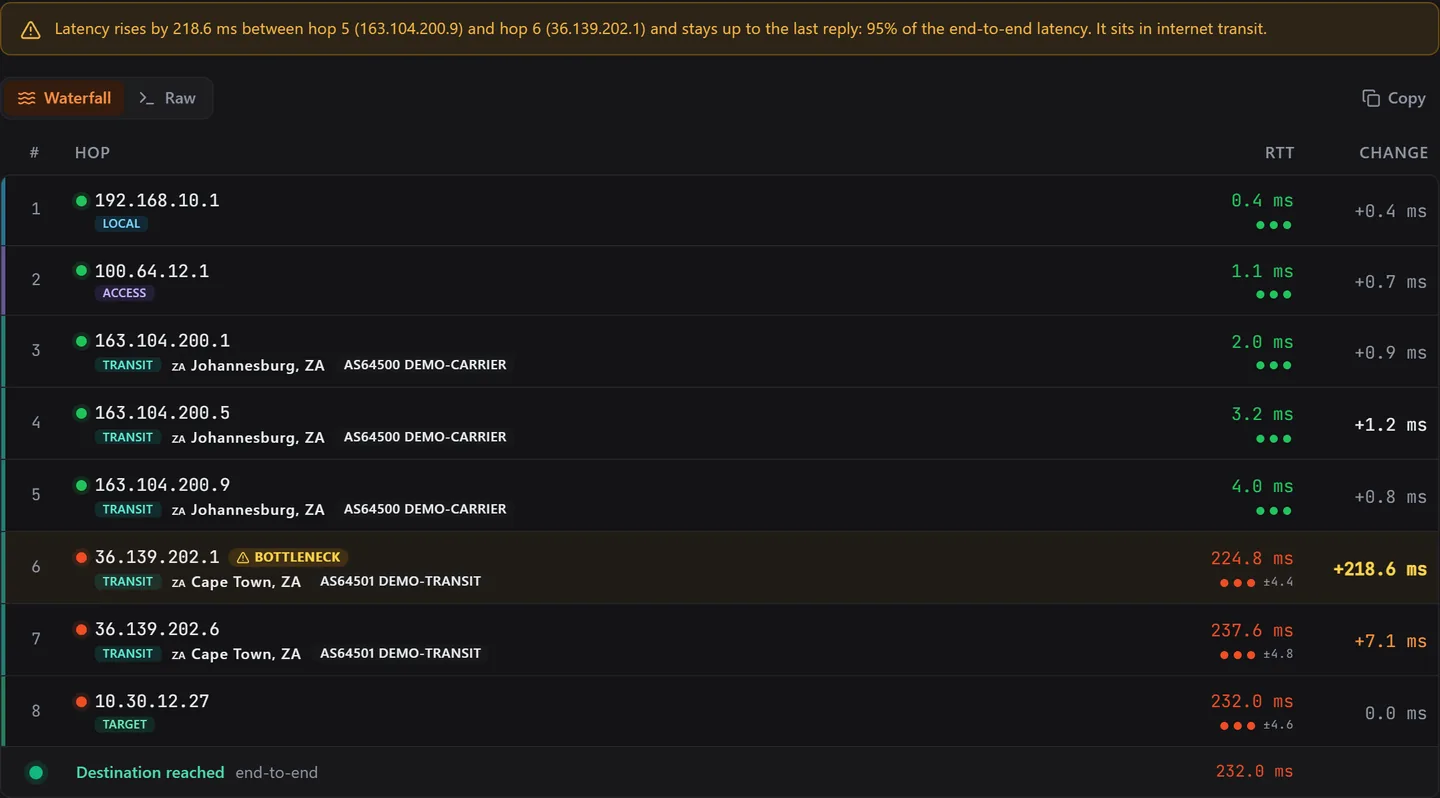
FishEye puts the answer above the table. In this recording of a demo network, the first five hops answer in 4 ms or less. Then 218.6 ms appear in one step, between hop 5 on DEMO-CARRIER and hop 6 on DEMO-TRANSIT. That is the network to call.
- The callout names both ends of the jump. A rise belongs to the link between two routers, not to the far one.
- It says how much of the end-to-end delay the jump is. Here, 95%.
- A hop is marked as the bottleneck only if the delay stays up for every hop after it.
Every hop has a network and a place.
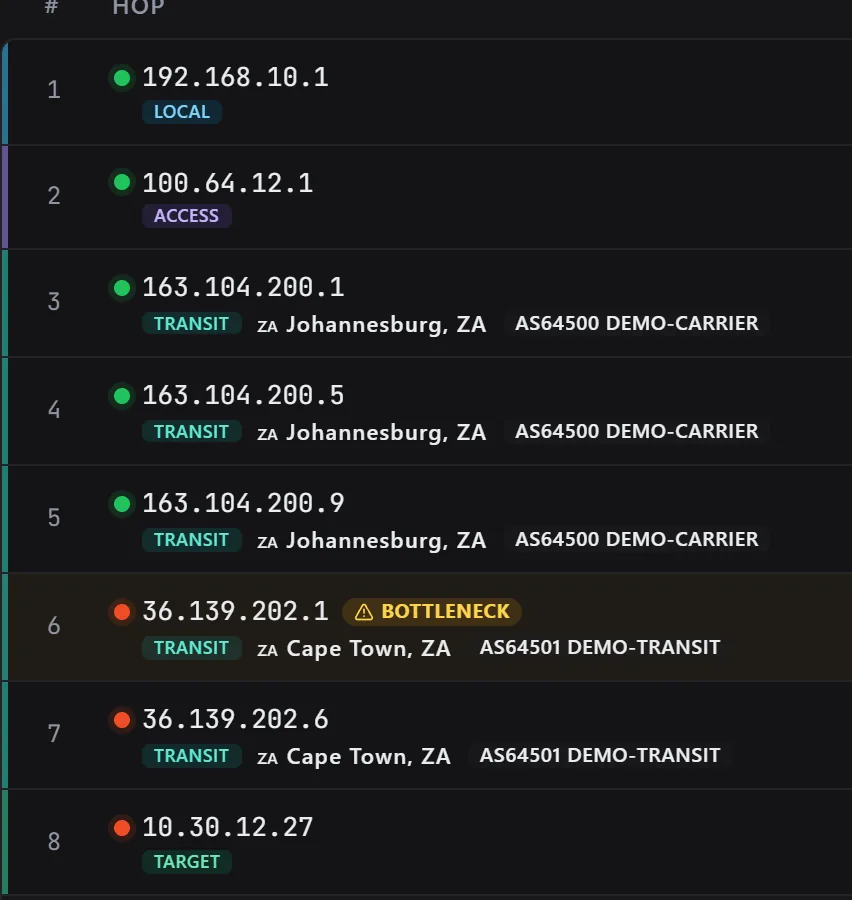
Each hop shows the network that runs it, then where it is. A network is named by its ASN, the number it is known by on the internet, beside the operator. Hop 3 here is AS64500, DEMO-CARRIER, in Johannesburg.
- The network and operator come from Team Cymru’s public lookup. Places are measured by RIPE IPmap where it can, and from a local database where it cannot.
- A place is kept only if the hop’s own round trip makes it possible. Light in fibre covers about 200 km each millisecond, so a hop that answers in 2 ms cannot be more than about 200 km away.
- Weaker places are tagged, for example unverified, or no fixed location for an address announced from many sites.
- Private addresses are not looked up with outside services. They get a label instead: local network, carrier access, transit or target, read from the address range.
Scroll back to the route before.
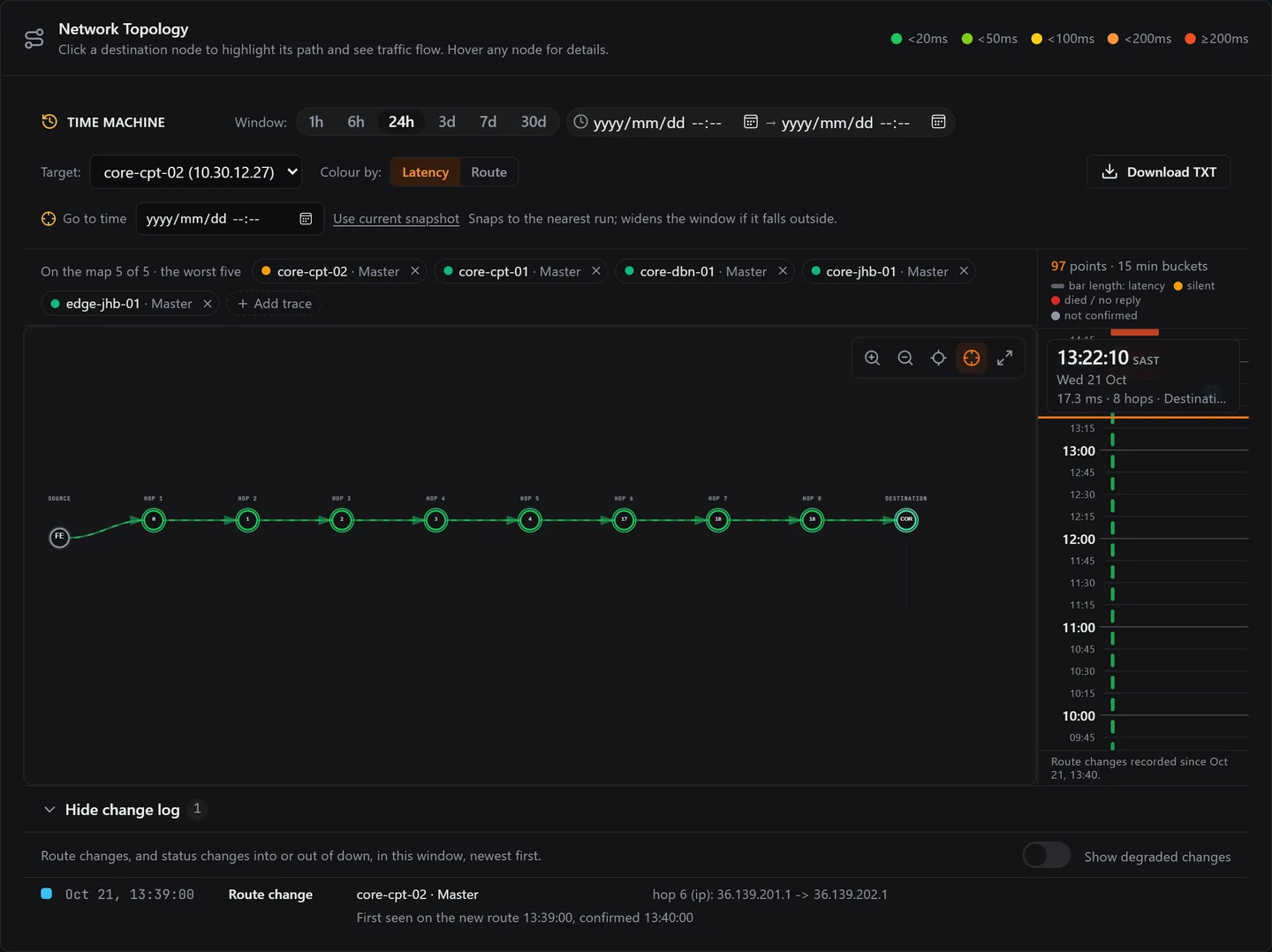
The rail beside the map is the Time Machine. The top is now. Scroll down and the map, the tiles and the hop table show that moment. Live refresh pauses until you go back to live.
- Every run is a bar on the rail. The longer the bar, the higher the latency.
- Look back over 1 hour, 6 hours, 24 hours, 3, 7 or 30 days, or a range you pick. Or type the exact time you want.
- A flag on the rail marks each route change. The change log under the map lists them.
- You can switch between the master and each probe node, to see the same target from another site.
A slow router is not a slow path.
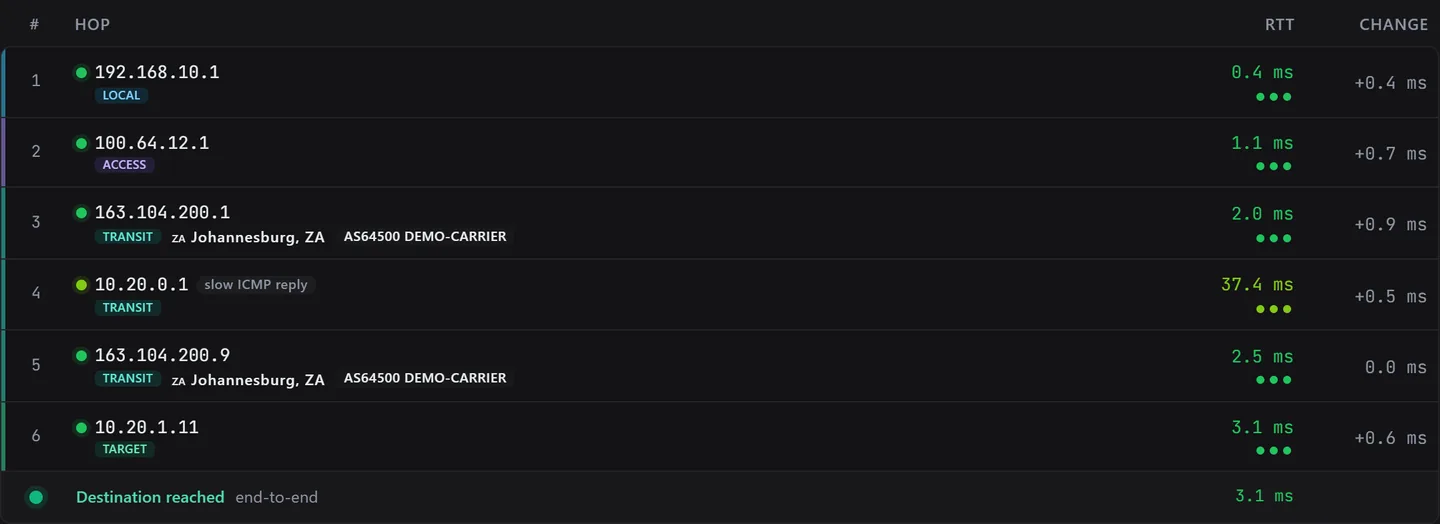
A traceroute uses ICMP, the message type a ping uses. Many routers treat those replies as low priority, so a hop can look slow while the traffic going through it is not delayed at all.
FishEye compares each hop with the hops after it. If later hops answer faster, the hop is tagged slow ICMP reply and is not called the bottleneck.
Take it to your provider.
A carrier ticket needs three things: where the delay starts, whose network that is, and what changed. FishEye shows all three on one page.
- The hop and its network: hop 6, on AS64501 DEMO-TRANSIT.
- The route change log names the first hop that differs, the old and the new address, when the new route was first seen and when it was confirmed.
- Copy a trace as plain text, or download the trace of a past moment as a text file, and paste it into the ticket.
There is no share link or path report to export yet: you paste the text and the before-and-after addresses into the ticket.

A recorded investigation
How FishEye judges a route change.
A route that flips back and forth is not news. FishEye records a change only when it is sure of it.
- A change is recorded when
- Three runs in a row take the new route, and that source has not used it in the last 7 days. On one day of our own network’s traces, the simpler rule of three runs alone found 582 changes, most of them returns to a known route. This rule found 11.
- How often it traces
- From the master, twice a minute by default, and you can set 1 to 6 a minute per target. From each probe node, every few minutes. Only targets set to traceroute or full are traced.
- How long it keeps it
- Per-hop detail for 90 days by default, which you can change. Route changes and hourly summaries for about 400 days.
- How it traces
- With ICMP echo, the same message a ping uses, because some networks drop the UDP probes a traceroute can also use. If the traceroute program lacks permission to send ICMP echo, it falls back to UDP.
- Alerts
- A path-change alert is optional and off until you add a trigger. It opens once for each episode.
- What it looks up outside
- Only public hop addresses, for their network and place. Private addresses are not sent to outside services.
A known limit. On a path where nearly every run takes a different route, FishEye cannot yet tell a real change from the normal spread, so it can miss changes there. We are looking at a better way to trace such paths.
Show us the path that keeps going wrong.
Tell us which carrier you chase most, and we will show you what FishEye finds on its path.